
You ask AI to summarize a research packet, and it returns a clean answer. That is convenient in a chat box. But if a teammate needs to continue the work tomorrow, the harder questions appear: where is the source data, which steps actually ran, how was the chart produced, and can someone else rerun the process from the same data and steps, then explain any difference?
Anthropic introduced Claude Science as an AI workbench for scientists. The important signal is not another chat surface; it is a workspace where data, tools, compute, and reviewable work records sit closer together. TechCrunch, MIT Technology Review, and The Next Web all point to the same shift: AI is moving from giving answers to helping run a trackable workflow.
This is not only a science story. For everyday teams, Claude Science is a useful signal: once AI starts reading data, calling tools, generating charts, or producing work that others depend on, it is no longer just a chat box. The question is not only whether the model is smart. The question is whether the AI workbench can be rerun, audited, and handed off.
This lesson turns “An AI workbench is not a chat box: check whether the work can be rerun, audited, and handed off” into one practical reader question: Claude Science moves AI toward a workbench. Before adopting similar tools, teams should check data inputs, tool permissions, reruns, audit trails, and handoff format. Use the rest of the article to identify what should happen before the team proceeds.
Start with five workbench checks
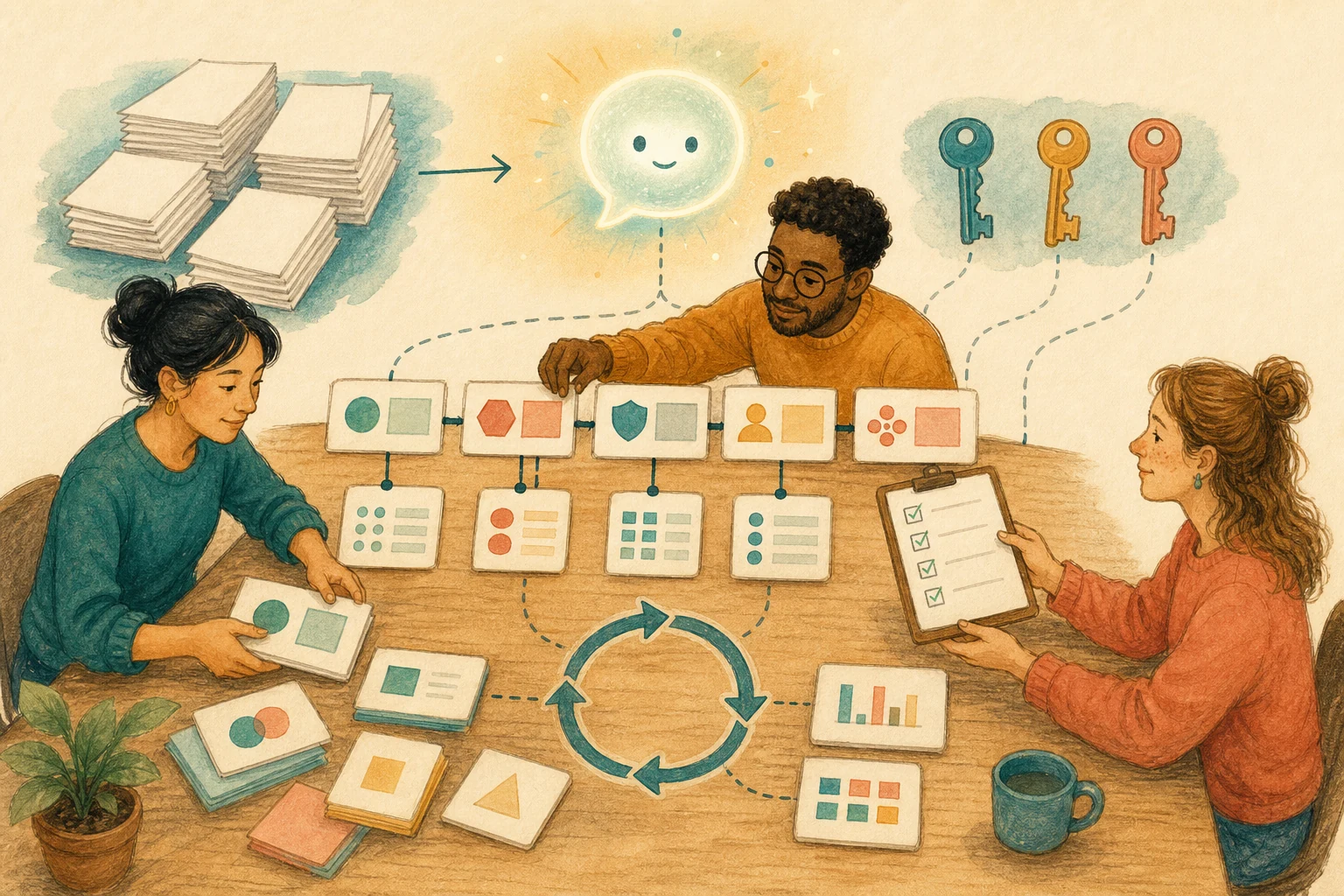
Before adopting a new AI workbench, ask five questions. They come before model preference.
| Check | What to ask | Failure mode |
|---|---|---|
| Data input | Which data, version, and owner did the AI use? | The same question reads different data next time |
| Tool permission | Which tools, packages, APIs, or compute resources can it call? | The AI calls a paid API or writes to production data the task never required |
| Execution record | Are commands, parameters, and transformations logged? | A chart looks right but no one knows how it was made |
| Rerun path | Can another person rerun the same data and steps tomorrow, then explain any difference? | The team has a conclusion but no way to verify or repair it |
| Handoff format | Does the result include sources, limits, and next steps? | A teammate has to ask the AI again or restart the analysis |
Rerun does not mean the AI must return the exact same sentence every time. It means the team can see which data, steps, tools, and settings produced the result; if tomorrow’s answer changes, they can tell whether the difference came from the data, the setup, or the model.
The table is not only for research tools. Marketing analysis, support knowledge bases, financial models, product experiments, and data cleanup need the same checks whenever AI moves from writing text to operating a workflow.
Not every task needs a workbench
A workbench sounds powerful, but it is not the right home for every task. Split tasks by risk.
- Chat is enough: rewriting, meeting summaries, and brainstorming where the output does not need audit evidence.
- A record is needed: analysis, reports, charts, and summaries that affect decisions. Save sources, versions, prompts, and outputs.
- A workbench is needed: tasks that read multiple files, run code, produce artifacts, and need another person to continue. Require reruns, audit trails, and handoff notes.
- A human gate is needed: personal data, regulation, budget, medical work, scientific claims, or public release. AI can organize the workflow, but a person owns each critical conclusion.
If the team does not yet keep records at the second level, adopting a full workbench may create more confusion. Start with four fields: source, version, output, and next step.
Begin with a handoff note
You do not need to wait for every AI workbench to be available. Start by attaching a short handoff note to important AI outputs.
- Name sources: List the files, documents, URLs, date range, and versions used.
- Name steps: Describe the transformations, searches, or calculations in three to five lines.
- Name limits: Mark what was not verified, where data is thin, and where the model may be wrong.
- Name outputs: Attach charts, tables, code, logs, or summaries, and say which one is the main result.
- Name owners: Say who reviews, who can rerun, and when the output can be used externally.
The note can be short. Its job is to turn “AI helped me” into a work package another person can inspect.
One reminder for teams
The point of Claude Science is not only that scientists get a dedicated AI tool. The bigger shift is that AI is becoming a workbench.
A chat box optimizes for fast answers. A workbench needs a process that can be preserved. Before adopting one, ask:
If someone else picks this up tomorrow, can they understand, rerun, and audit what the AI did?
If the answer is no, do not rush to connect more data and tools. First add sources, permissions, execution records, rerun paths, and handoff format. Otherwise the workbench becomes a smarter-looking black box.
AI handoff card
Convert the article’s decision into your workflow If you want a personal checklist from this lesson, paste the prompt below into an AI tool you trust and avoid sharing sensitive data.
I want to apply this BMC mini lesson to my own situation: An AI workbench is not a chat box: check whether the work can be rerun, audited, and handed off

Specific problem this article handles: Claude Science moves AI toward a workbench. Before adopting similar tools, teams should check data inputs, tool permissions, reruns, audit trails, and handoff format.
Article URL: https://boosterminiclass.com/en/posts/claude-science-workbench-audit-handoff/

Do not only summarize the article. First ask me 3 questions to clarify:
1. the real workflow or decision I am dealing with;
2. which data, permissions, accounts, costs, or external actions are involved;
3. whether I need a stop/go decision, a trial checklist, a handoff template, or a risk tier.

Then check my situation with this article-specific framework:

Please output:
- one sentence on whether I should proceed, run a limited trial, or pause;
- a comparison table applying the framework to my case, with ready / missing evidence / needs human review;
- one smallest step I can take today;
- where I need an owner, log, rollback path, or human review.
Pause for human review before account, money, personal-data, or external actions.
References
- Anthropic, “Claude Science, an AI workbench for scientists,” 2026-06-30.
- TechCrunch, “Anthropic’s Claude Science bets on workflow, not a new model, to win over scientists,” 2026-06-30.
- MIT Technology Review, “Claude Science is Anthropic’s newest flagship product,” 2026-06-30.
- The Next Web, “Anthropic launches Claude Science, an AI lab workbench,” 2026-06-30.